
Features Overview
Run scripts on collectors
Section titled “Run scripts on collectors”Open Groovy or PowerShell module scripts and run them on a LogicMonitor collector from the editor title bar, keyboard shortcut, or command palette. Output appears in LMDA Composer; validation issues show in Problems when you use auto-discovery or collection modes. Cancel long runs from the editor or with LMDA: Cancel Execution.
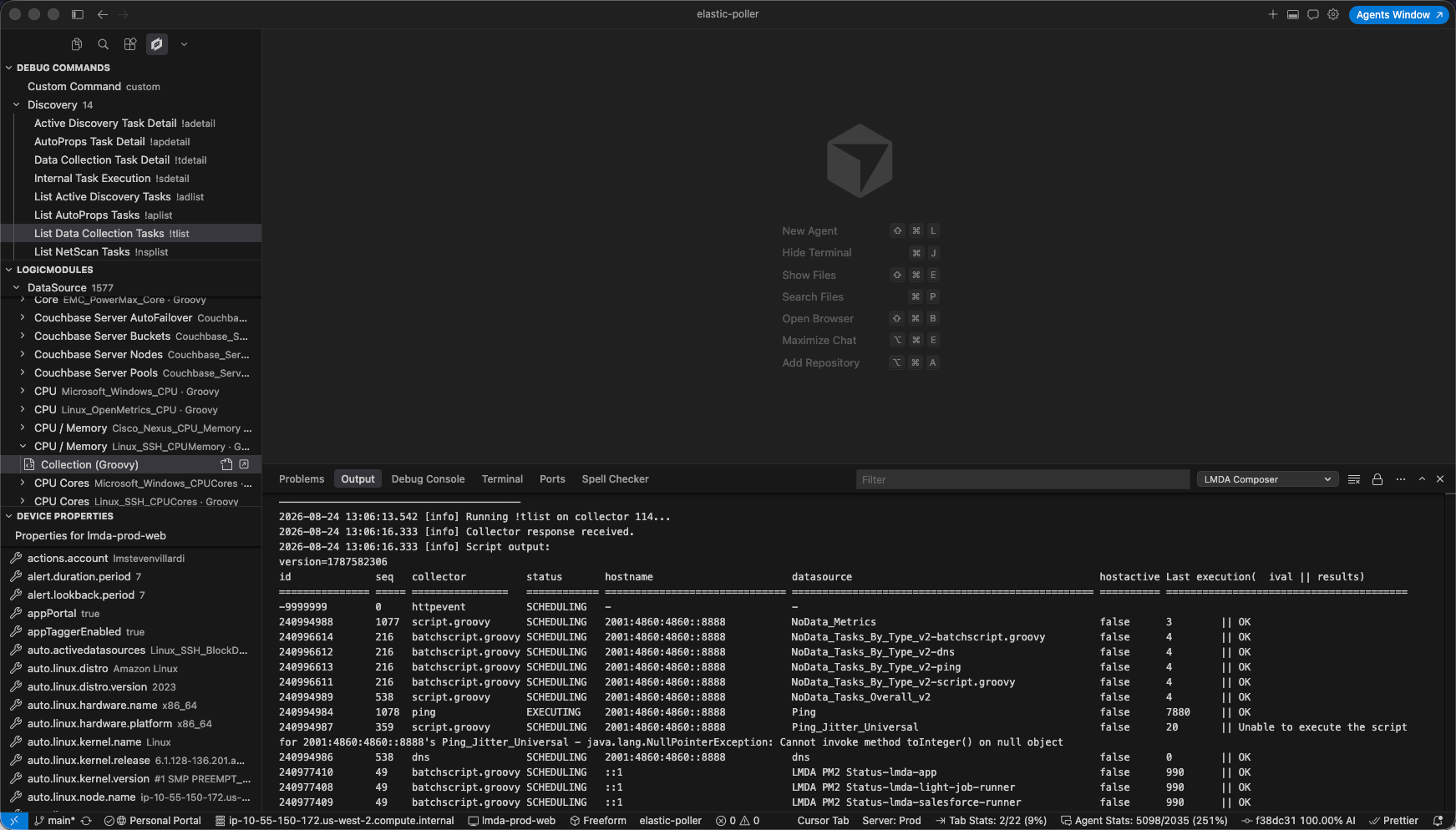
Browse LogicModules
Section titled “Browse LogicModules”Explore DataSources, PropertySources, and other LogicModules from the LMDA sidebar. Filter the tree, load collection or auto-discovery scripts into the editor, open modules in LogicMonitor, and copy portal links.
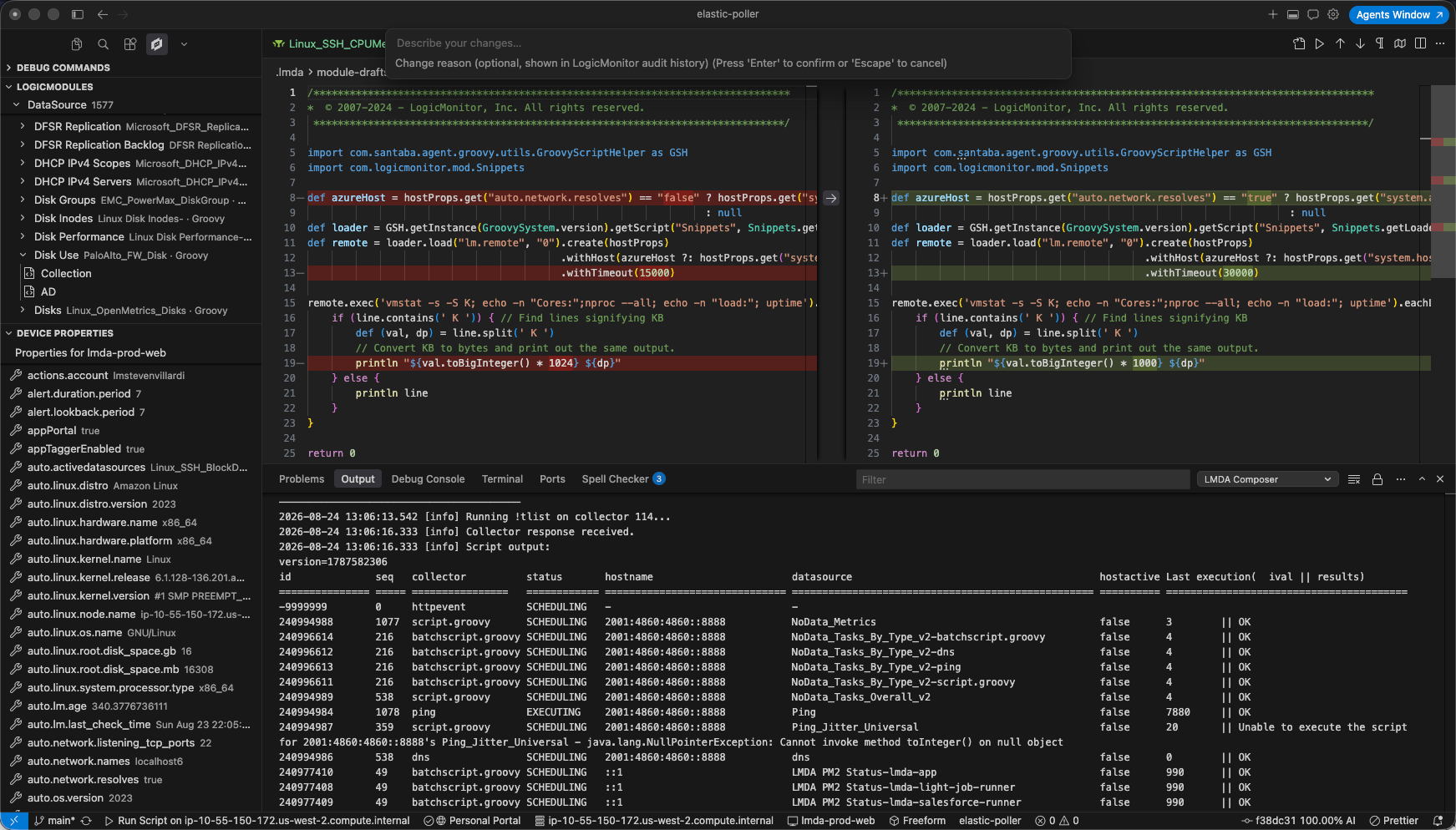
Push changes to your portal
Section titled “Push changes to your portal”Edit a loaded module script and use Push to Portal to publish changes. Review a side-by-side diff before committing, add an optional audit reason, and reopen or discard local drafts from the command palette.
Debug commands
Section titled “Debug commands”Search and run collector debug commands from the Debug Commands sidebar view without leaving the editor.
Inline actions
Section titled “Inline actions”When enabled, actions appear above Groovy and PowerShell scripts: Run Script, Run Selection, Push to Portal, and Open in LogicMonitor.
Device properties
Section titled “Device properties”Select a device to inspect system, custom, inherited, and auto properties. Copy property names for use in ##TOKEN## placeholders and PowerShell scripts.
Execution history
Section titled “Execution history”Replay recent script runs with LMDA: Show Execution History. Clear history when you no longer need it.
Snippets and diagnostics
Section titled “Snippets and diagnostics”Groovy and PowerShell snippets speed up common patterns (hostProps, adline, dpline, token).
Static script lint highlights property tokens, PropertySource naming, BatchScript pitfalls, and PowerShell output patterns while you edit — see the dedicated Script Lint guide.
For configuration options, see Settings.